
Practising a past event
GT Coach keeps every past event it has a target lap for, more than 250 of them. GT7 no longer lists them in Sport Mode, so you drive one on its track as a time trial (alone) or a custom race (with other cars, offline or online), set up to match the event. The event’s page tells you how.
Find the event
Section titled “Find the event”Open All events. Search by track or car, or filter by class.
- Current physics is on by default. It hides events set before GT7’s latest physics update, where cars drove differently. Turn it off to see every event. Those events are marked older physics, and the coach may not work as well on them.
- Current BoP keeps events that ran without BoP, and events where a target lap’s car has the same BoP in today’s game. They are the quickest to set up, as you don’t need to tune the car yourself with the power restrictor and ballast.
Open an event and pick the target lap to chase.
Set it up in GT7
Section titled “Set it up in GT7”The event’s page has a Set it up in GT7 panel for the target lap you picked. Follow it in order:
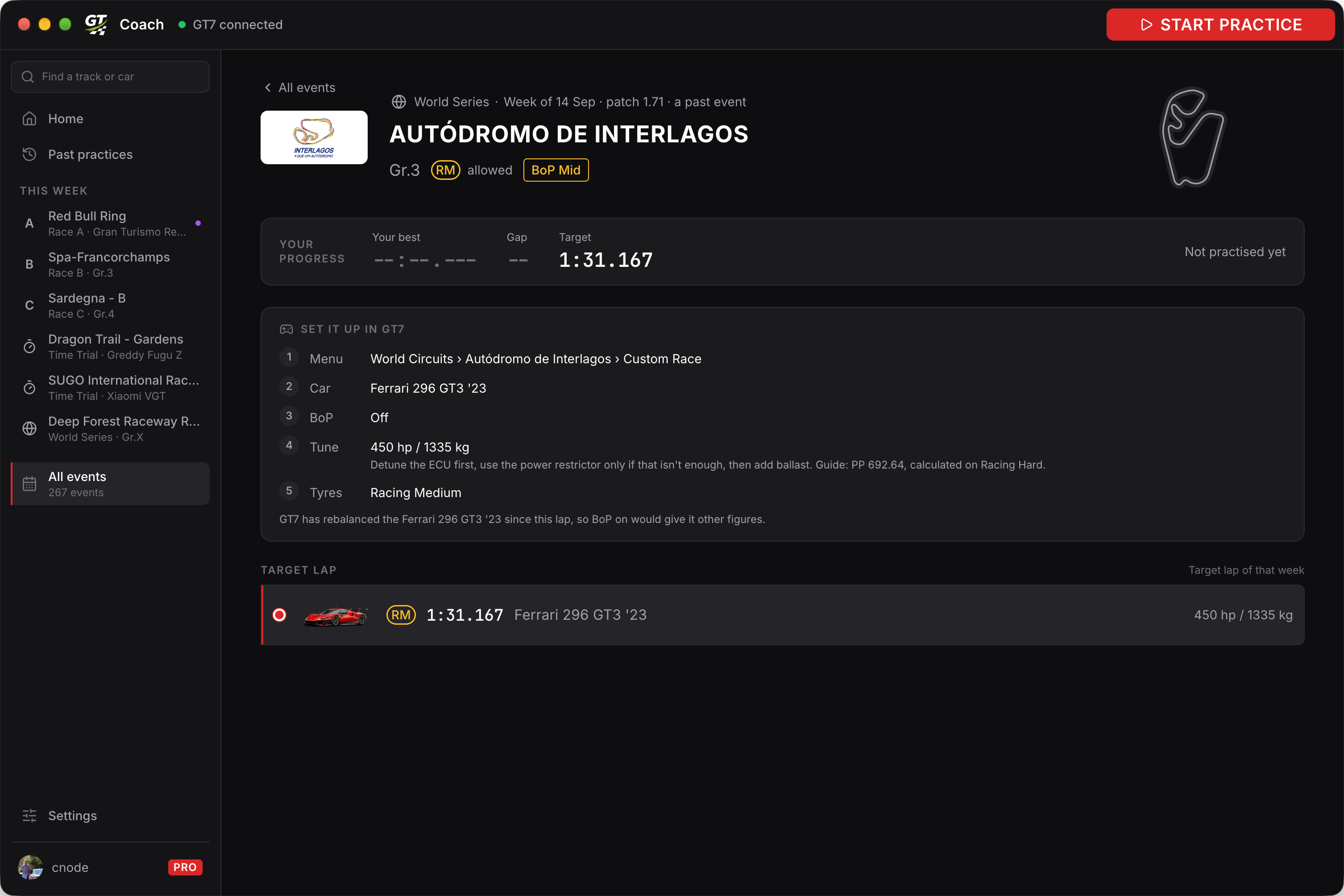
| Step | What to do |
|---|---|
| Menu | Go to World Circuits and choose the track, then Time Trial to drive alone or Custom Race to race other cars. Use the same layout. |
| Car | Bring the car the event names, or a car of the group it names (e.g. any Gr.3). |
| BoP | Set BoP as the panel says: On, or Off followed by a Tune step (see Matching the car’s BoP). A time trial calls it BoP/Tuning Prohibited, a custom race BoP. |
| Tyres | Fit the tyres the target lap was driven on, or the ones the event allowed. |
Then press START PRACTICE in GT Coach and start the race in GT7. Ready when you are shows the same setup again, so you can follow it from the racing screen.
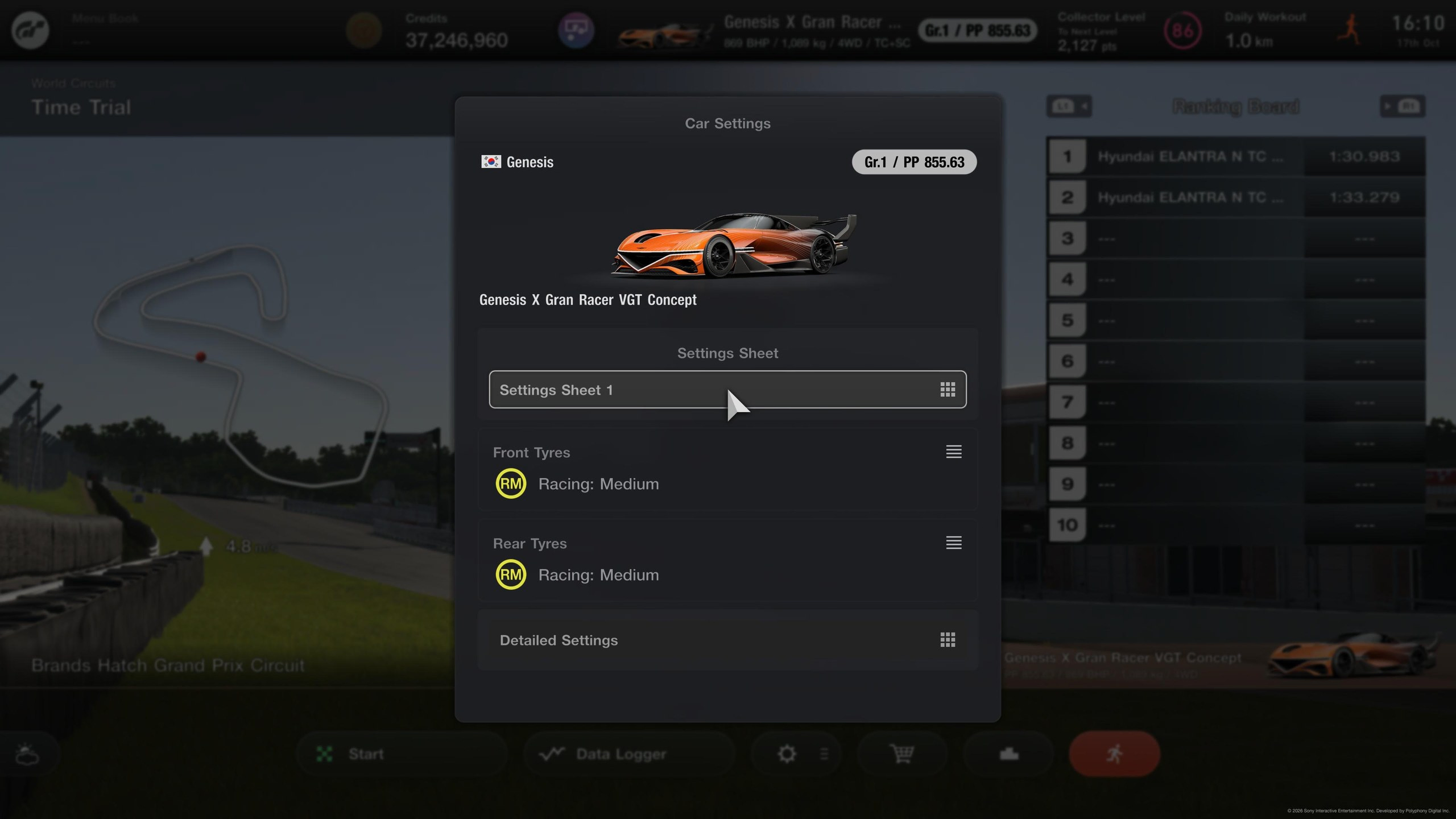
As a time trial
Section titled “As a time trial”From the track’s page in World Circuits, choose Time Trial.
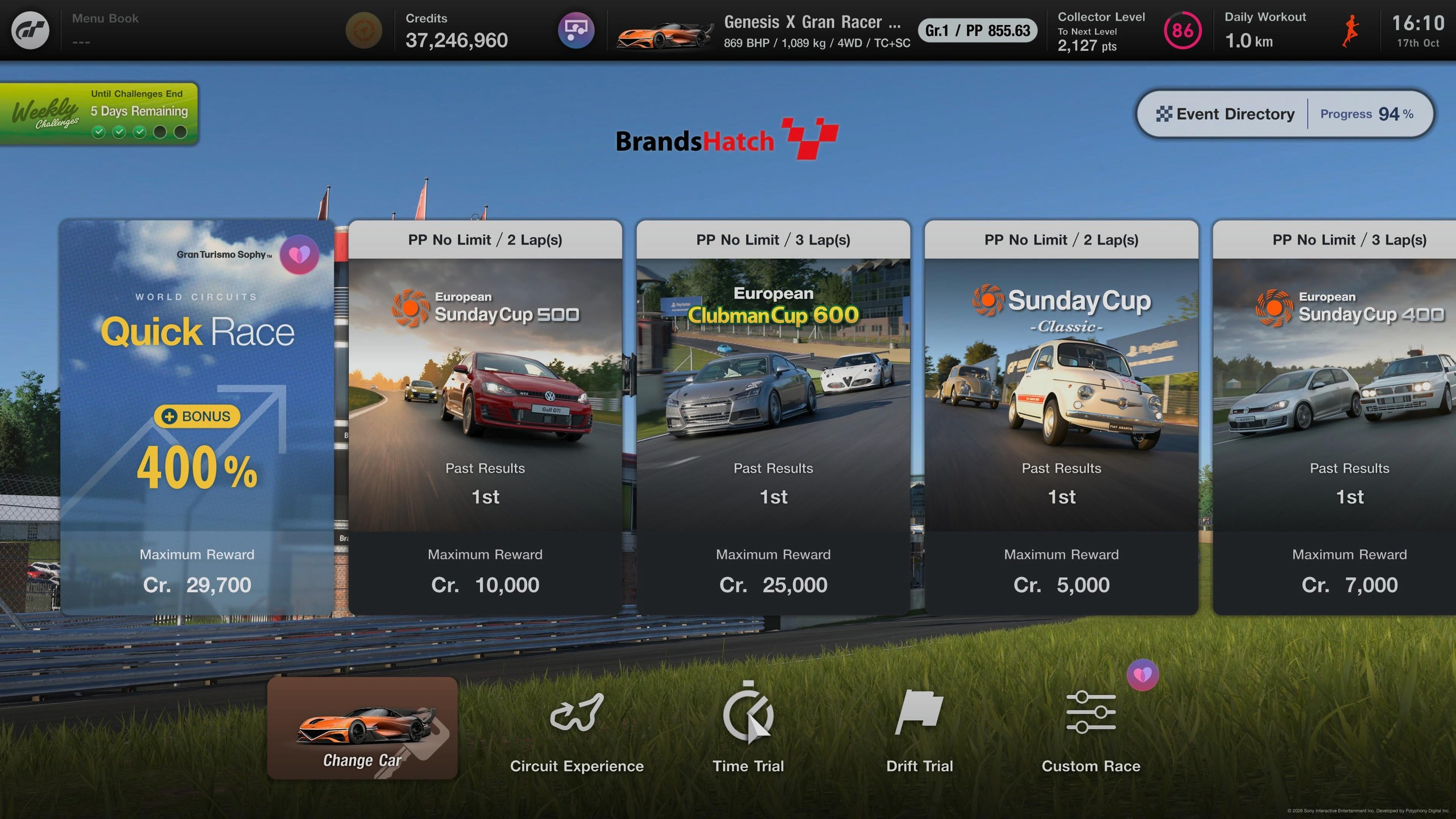
Open the menu and choose Event Settings.
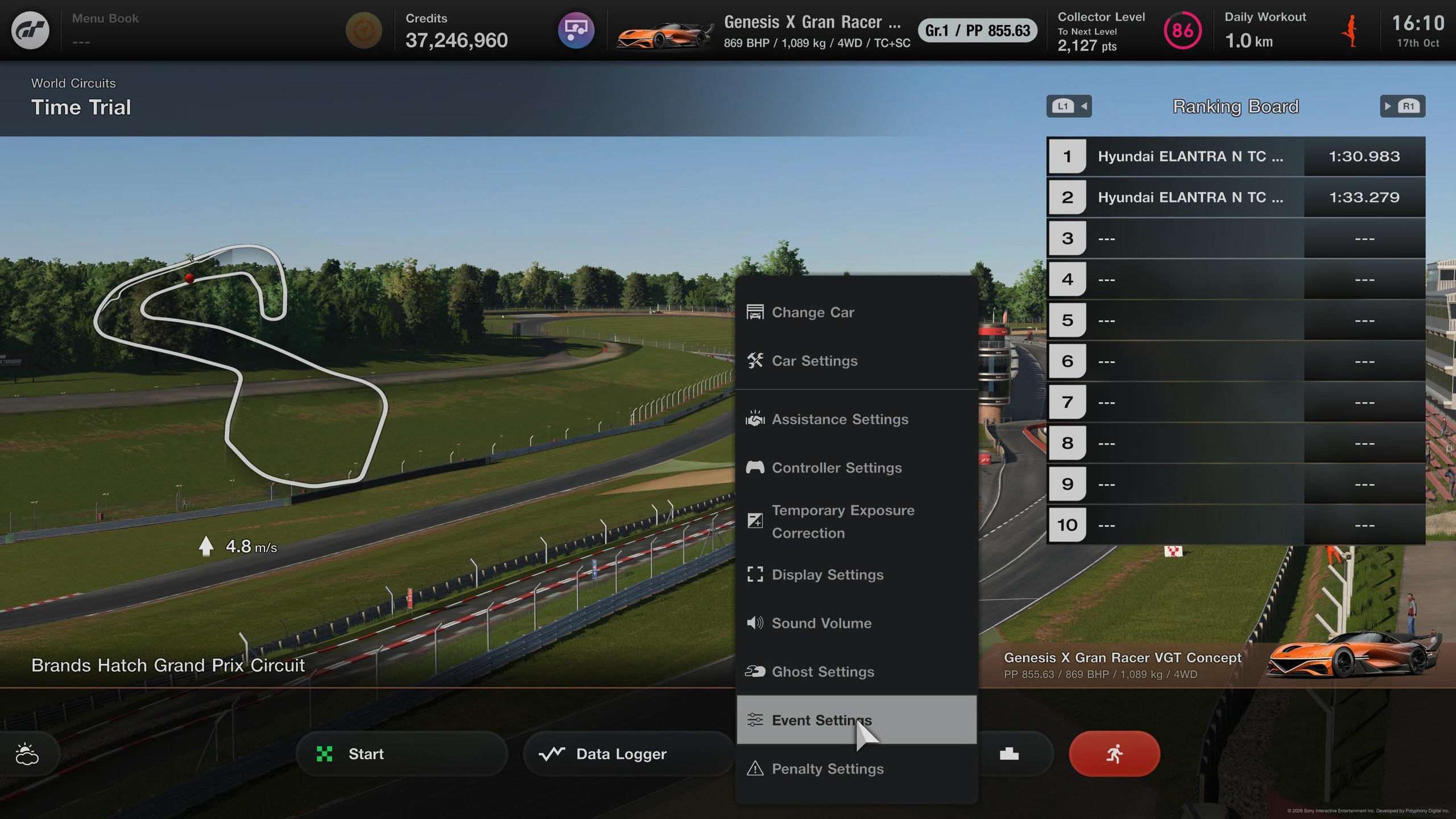
Set BoP/Tuning Prohibited as the panel says.
Fit the tyres from Car Settings, which is also where you tune the car when the panel says to.
As a custom race
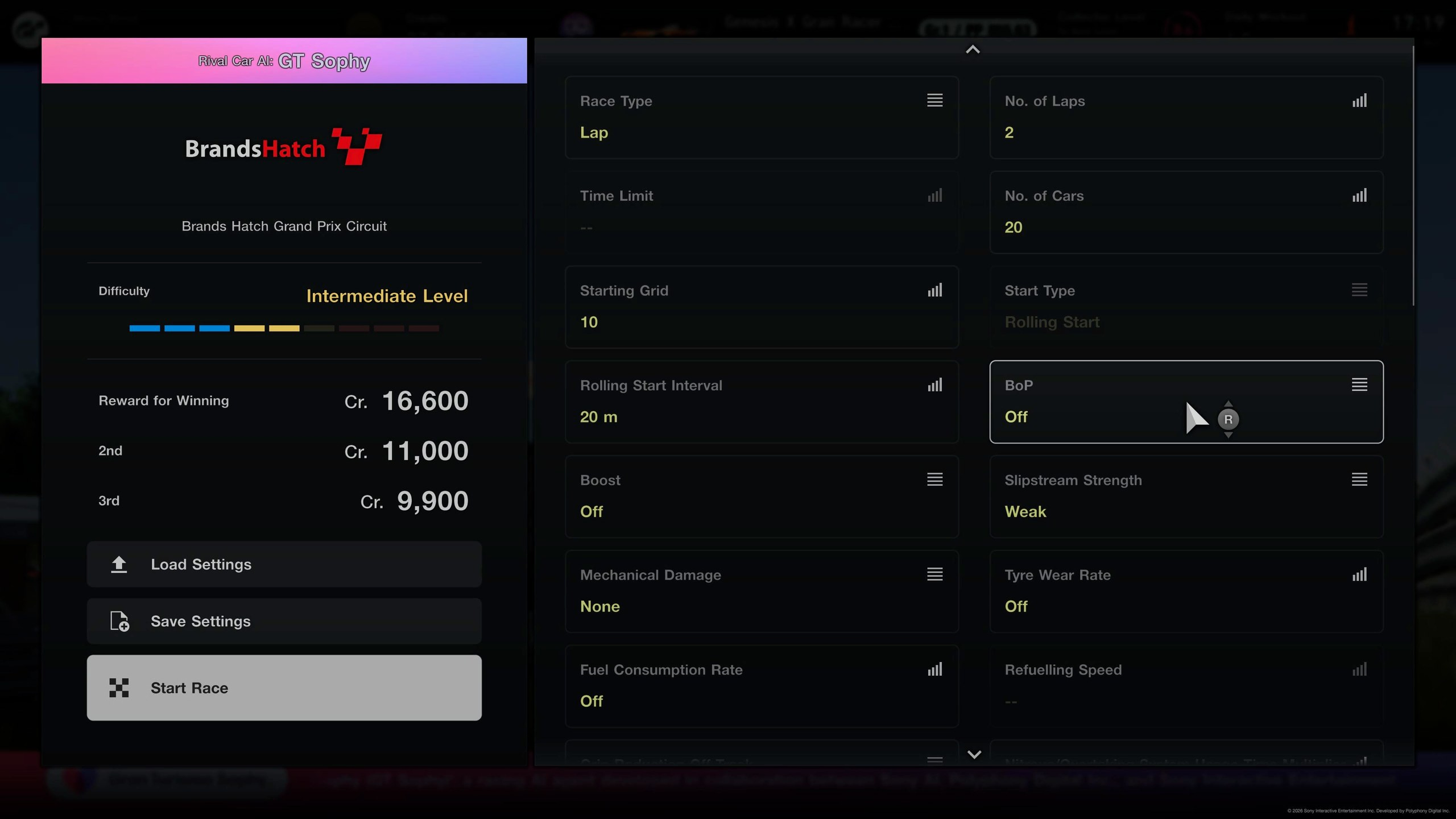
Section titled “As a custom race”From the track’s page in World Circuits, choose Custom Race. In its race settings, set BoP as the panel says.
Matching the car’s BoP
Section titled “Matching the car’s BoP”GT7 updates rebalance cars: the same car can have more or less power, or more weight, than it had when the target lap was set. To chase the lap fairly, your car has to match the lap’s power and weight. The panel tells you which of these applies.
Matching the car only matters for a fair comparison with the target lap. The coach still works in a car set up differently, but its advice fits you best when your car is the lap’s.
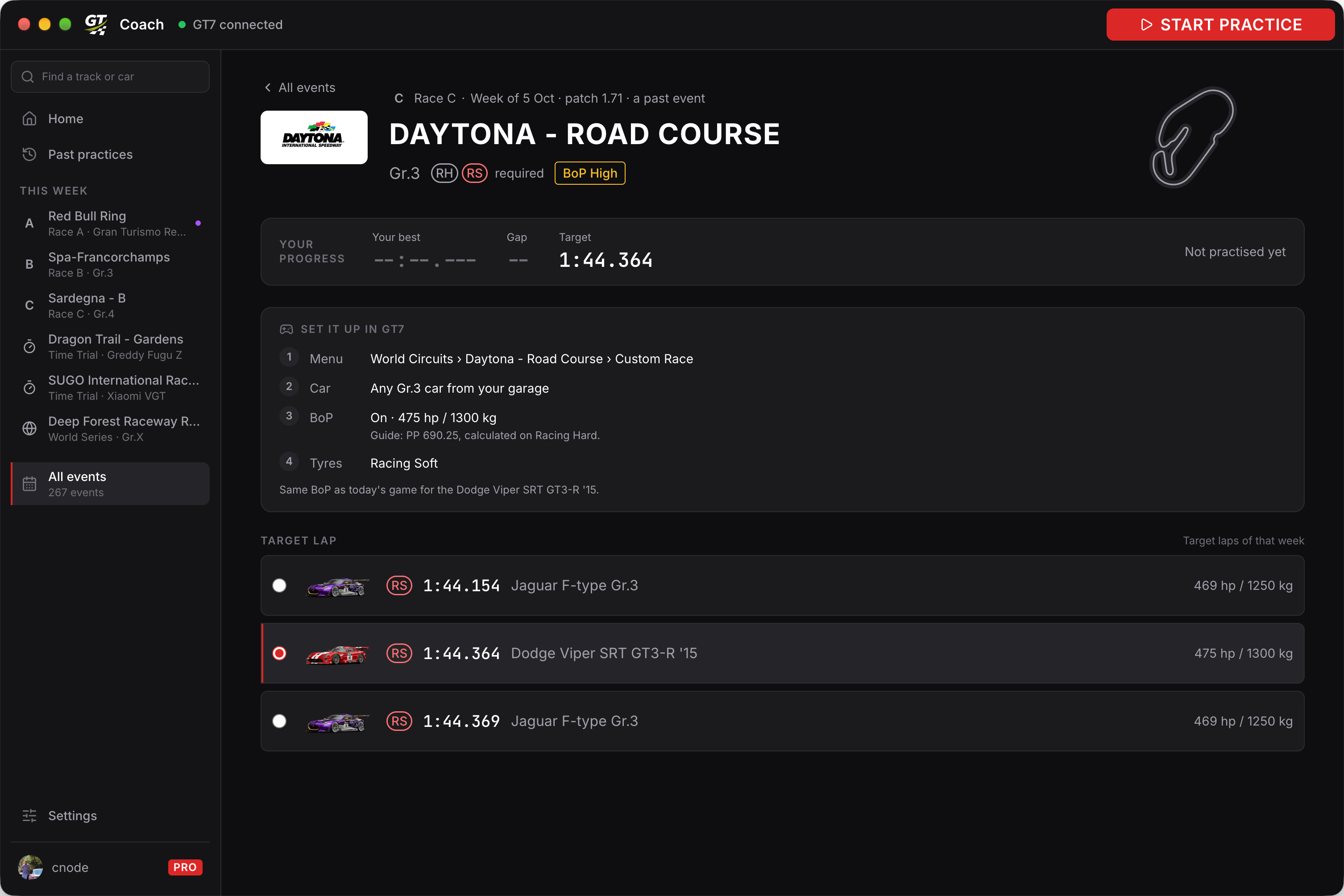
BoP: On. The car’s BoP in today’s game is the same as the lap’s. Set BoP to On and you have the lap’s car. The panel shows the figures with a PP guide, so you can check.
BoP: Off, then Tune. GT7 has rebalanced the car since the lap. BoP on would give you a different car, so set BoP to Off and tune the car by hand to the power and weight the panel shows:
- Detune the ECU first, to bring the power down.
- Use the power restrictor only if the ECU cannot bring it down far enough.
- Add ballast to reach the weight.
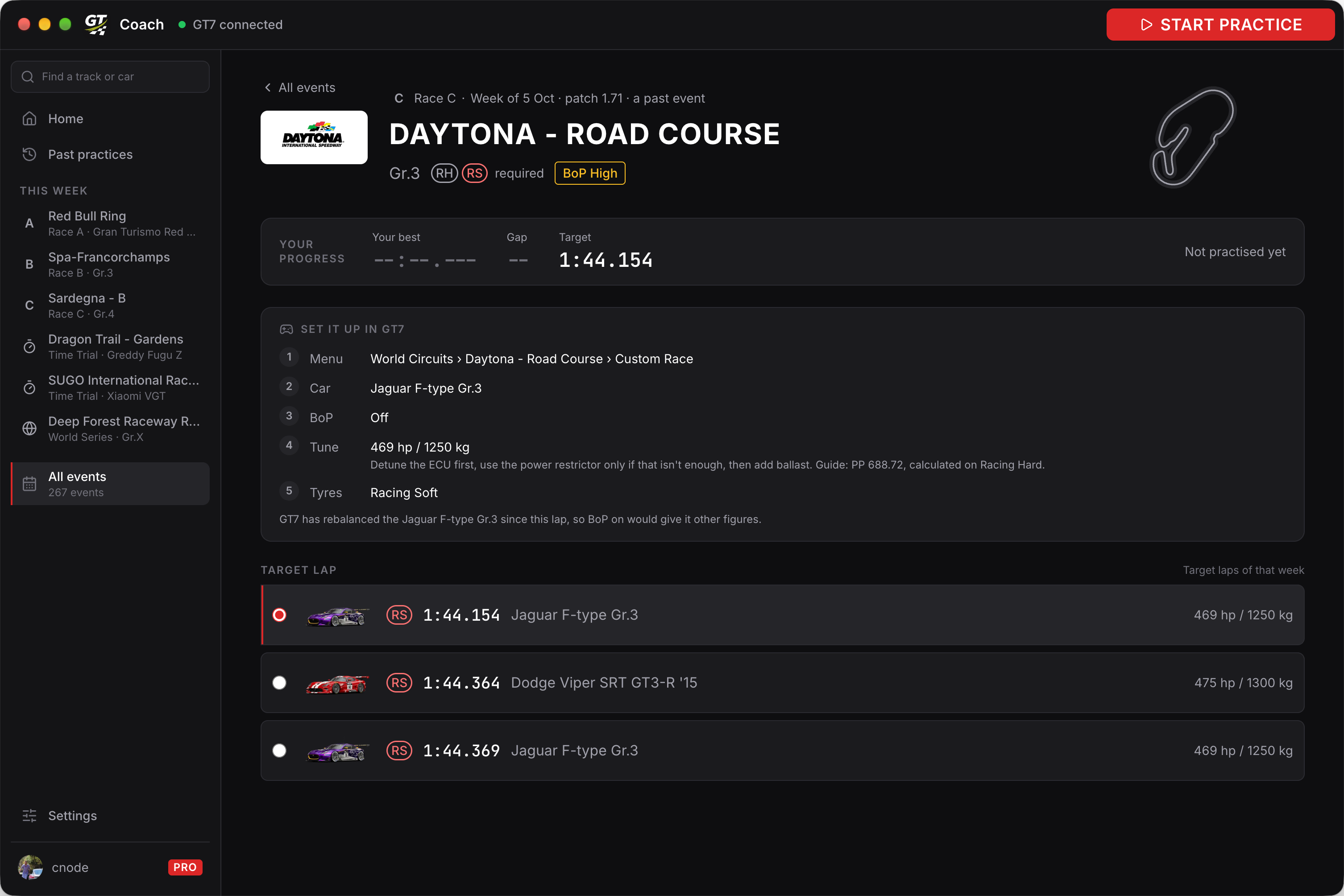
Two target laps of one event can need different setups. At Daytona, the Dodge Viper above still has the BoP it ran with, while GT7 has rebalanced the Jaguar F-type since its lap.
Tune to the power and weight, then use the PP to check your tune. GT7 calculates PP for the tyres on the car, so the panel says which tyres the PP was calculated on: compare it with the same tyres fitted. For a road car, that is its stock tyres.
BoP: Off on its own means the event itself ran without BoP, so the car runs as it comes. For a road car, the panel shows its stock figures, e.g. Off · stock 431 PS / 1755 kg.
Free and Pro
Section titled “Free and Pro”Browsing past events, their target laps and how to set them up is free, and so is reviewing a past event you drove. Practising one needs Pro. Practising this week’s events is free, within the weekly window on the Free plan.