
Reviewing your practice
Select a session and press Review practice to see where you lost time, and what to focus on next. You can do this for any session you have driven, including ones that have retired to Past Practice.
You can open the Review screen mid-session too: just pause your race in GT7!
Two lenses for the same laps
Section titled “Two lenses for the same laps”The review has two tabs, and they answer different questions about the same selection of laps.
- Coaching answers “what should I practise next”. It groups what you keep getting wrong by technique and tells you what each habit costs you.
- Time loss answers “where did the lap go”. It is the corner table, the lap times, and the map.
The Coaching lens
Section titled “The Coaching lens”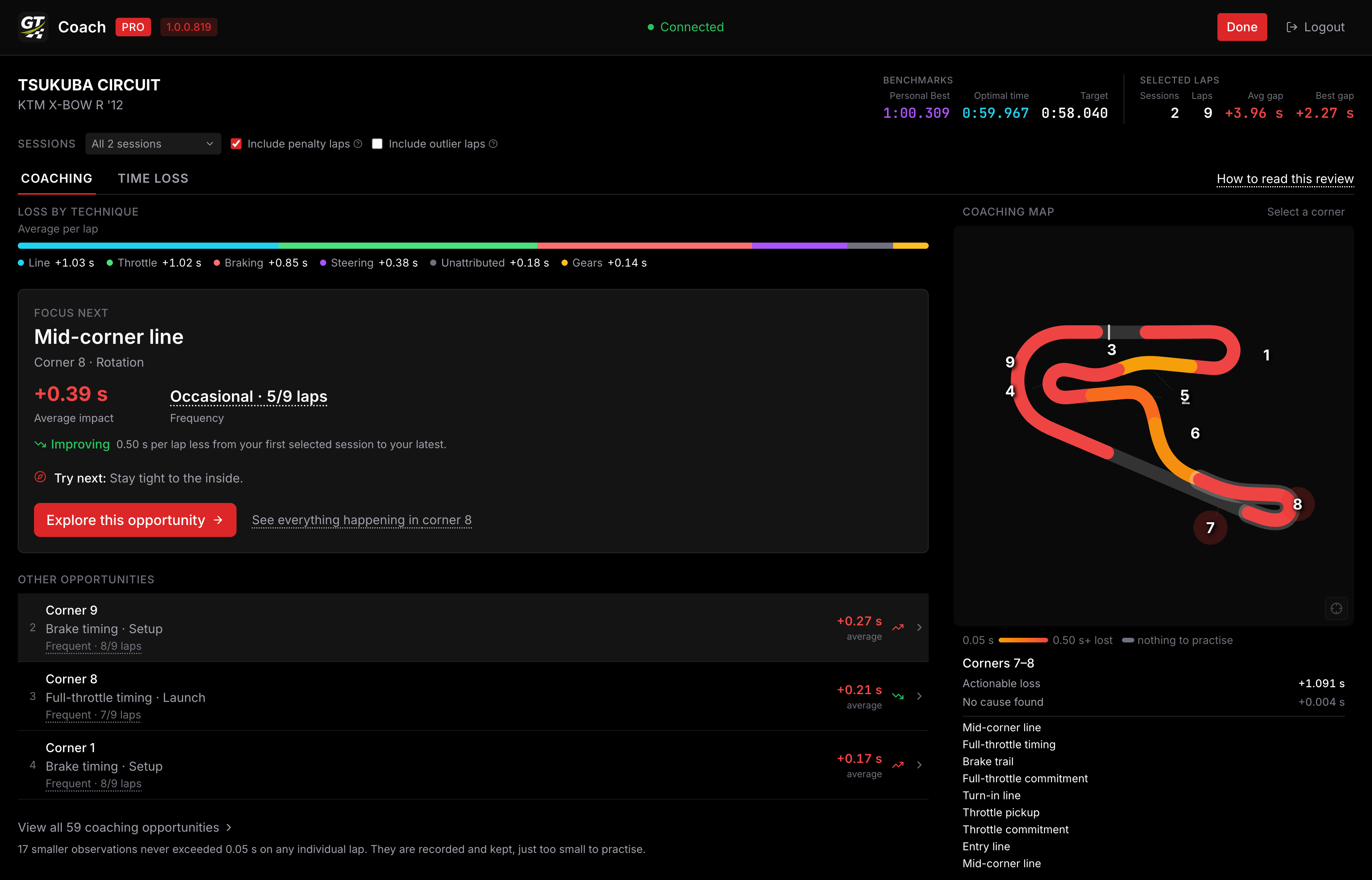
Loss by technique at the top splits your average lap into the techniques it went to: braking, throttle, line, steering and gear selection, plus anything it could not attribute to one of those. It is the fastest way to see whether your problem is one skill everywhere or one corner in particular.
Focus next is the single opportunity worth your attention, picked by what it costs you. Each one carries:
- Average impact: what it costs per lap, averaged across the laps in your selection.
- Frequency: how many of those laps it happened on. Something that costs three tenths every lap is worth more of your time than something that costs half a second once.
- Trend, once you have two or more sessions to compare: whether it is improving, and by how much.
Below it, Other opportunities ranks the rest, and View all opens the full list. Smaller observations that never exceeded the actionable floor (under 0.05 s) on any single lap are counted at the bottom rather than listed, because they are not worth practising.
The Coaching map on the right shades each corner by how much time is available there, and greys out the ones with nothing worth practising. Click a corner to see everything the coach found in it.
Exploring a coaching opportunity
Section titled “Exploring a coaching opportunity”Pick any opportunity and you get its Coaching story: what happened, why it cost time, and what to try next.
Underneath, Lap history lists every lap in your selection, including the ones it never happened on, so you can tell a consistent habit from a couple of bad laps.
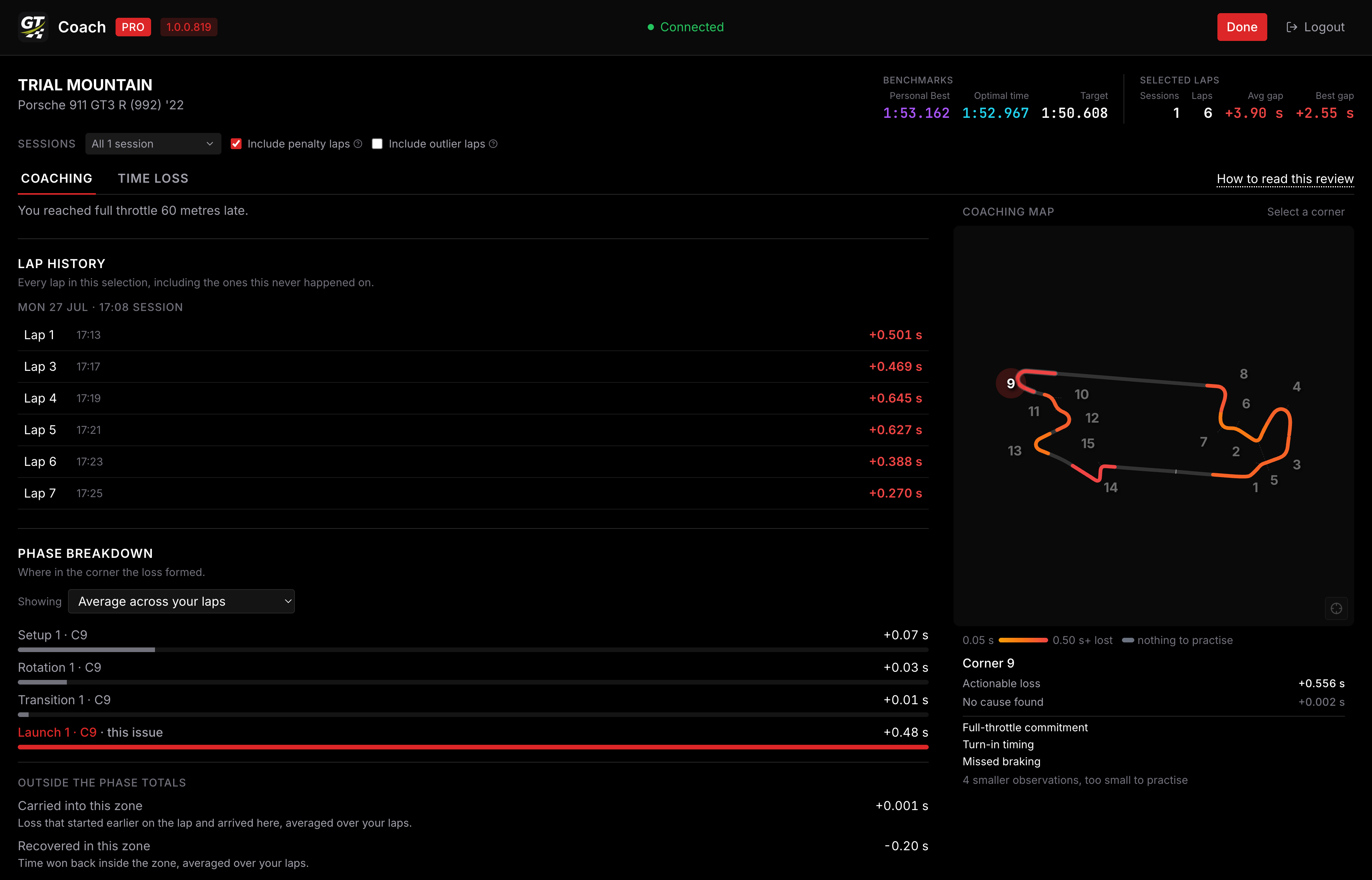
Phase breakdown shows where inside the corner the loss formed, so a bad exit that started with a late brake reads as one problem instead of three. Two totals sit outside it:
- Carried into this zone: loss that started earlier on the lap and arrived here, for example a speed deficit off the previous corner’s exit.
- Recovered in this zone: time you clawed back before the corner was over. Lose two tenths on entry and take one back on the exit, and this is that tenth. It is why the phases above can add up to more than the corner really cost you.
The Time loss lens
Section titled “The Time loss lens”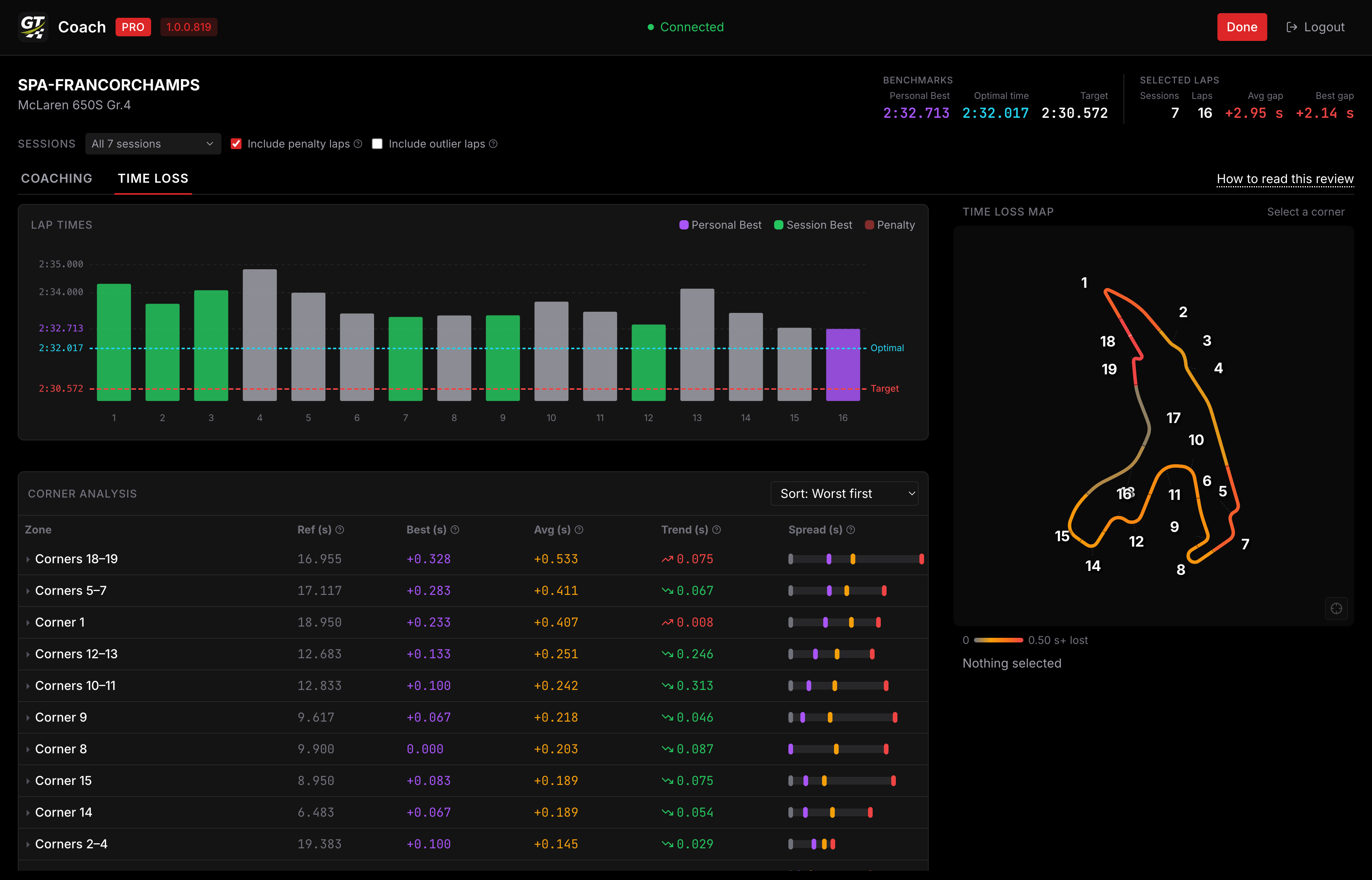
At the top, your Benchmarks:
- your personal best
- your optimal time: the sum of all your best segments, what is in theory possible for you to achieve
- the target you are chasing
Beside them, Selected laps: how many sessions and laps are in view, and your average and best gap across them.
Below that, each corner and what it is costing you.
Choosing which laps count
Section titled “Choosing which laps count”By default every session on that track is included. Open the Sessions filter to narrow it to the runs you care about, and to decide two things:
- Include penalty laps. Track limit penalties that GT7 flagged. On by default.
- Include outlier laps. Laps where one corner went abnormally wrong, usually because you went off or spun. Off by default, because a lap where you binned it would otherwise dominate the averages and make a corner look like a problem when it was one bad moment.
If the review looks emptier than you expected, widening this session filter is the first thing to try.