Console not connecting
GT7 constantly broadcasts what your car is doing over your home network. That stream is what GT Coach listens for, and it finds your console on its own, so there is nothing to type in.
If the Start Practice button still reads LAUNCH GT7 TO START while GT7 is running, work down this page in order. GT7 broadcasts telemetry in the menus as well as on track, so you can go through these checks without starting a race.
Are they on the same network?
Section titled “Are they on the same network?”Your PlayStation and your computer have to be on the same local network. WiFi or Ethernet both work, and mixing them is fine (e.g. the PS5 on WiFi and the PC/Mac on Ethernet, as long as both are connected to the same home router).
Some of the usual culprits:
- Having a guest network at home, with one of your devices (PS5 or PC) connected to it and not the other.
- Having a router with AP isolation enabled (typically not a default setting): this prevents GT Coach from finding your PlayStation on your network.
- Having a VPN active on either the PS5 or the PC/Mac.
Are you on a mesh system or a repeater?
Section titled “Are you on a mesh system or a repeater?”If your PS5 is connected to a mesh unit or a repeater, but your computer (the one running GT Coach) is connected to a different device (another repeater, or the router itself), or the other way round, it is likely that GT Coach won’t be able to find your console and therefore the game.
To find out if that’s the issue, compare the IP addresses of the computer and the PlayStation. The first three numbers have to match (e.g. 192.168.1.X).
- On the PS5: Settings, Network, Connection Status, then read the IP address.
- On Windows: Settings, Network & internet, then select your Wi-Fi or Ethernet connection and read the IPv4 address.
- On macOS: System Settings, Network, then select the active connection.
If you see something like 192.168.2.10 on the computer and 192.168.68.20 on the console, they
are on two different networks. You need to connect the console and the computer to the same unit, so
both sit on the same side.
Most mesh units and repeaters also have an access point (sometimes called bridge) mode. It puts every device back on one network, which fixes this for good rather than one device at a time. The app or manual that came with the unit will say where to find it.
If you already know your console’s address, you can also type it into Settings, Telemetry, PlayStation address. GT Coach then contacts that address directly as well as searching the network.
Is a firewall in the way?
Section titled “Is a firewall in the way?”Two ports are involved, and GT Coach needs both.
- It listens for telemetry on UDP 33740.
- It sends a heartbeat on UDP 33739.
Those ports are automatically requested on the first launch of GT Coach by Windows or macOS, so you shouldn’t have to troubleshoot this yourself. In case you denied the request or have a specific setup at home, you might need to allow GT Coach through the firewall yourself (how to on Windows).
Is something else holding the port?
Section titled “Is something else holding the port?”Other telemetry tools use 33740 as well, SimHub among them. If one has the port already, GT Coach tells you so:
Telemetry port 33740 is already in use. Close the app using this UDP port, such as SimHub, or choose a different telemetry port in Settings.
You do not have to pick one app over the other. Open Settings, go to Telemetry, and set a Forward port. GT Coach passes every packet it receives on to that port untouched, so pointing the other app at the same number keeps both running.
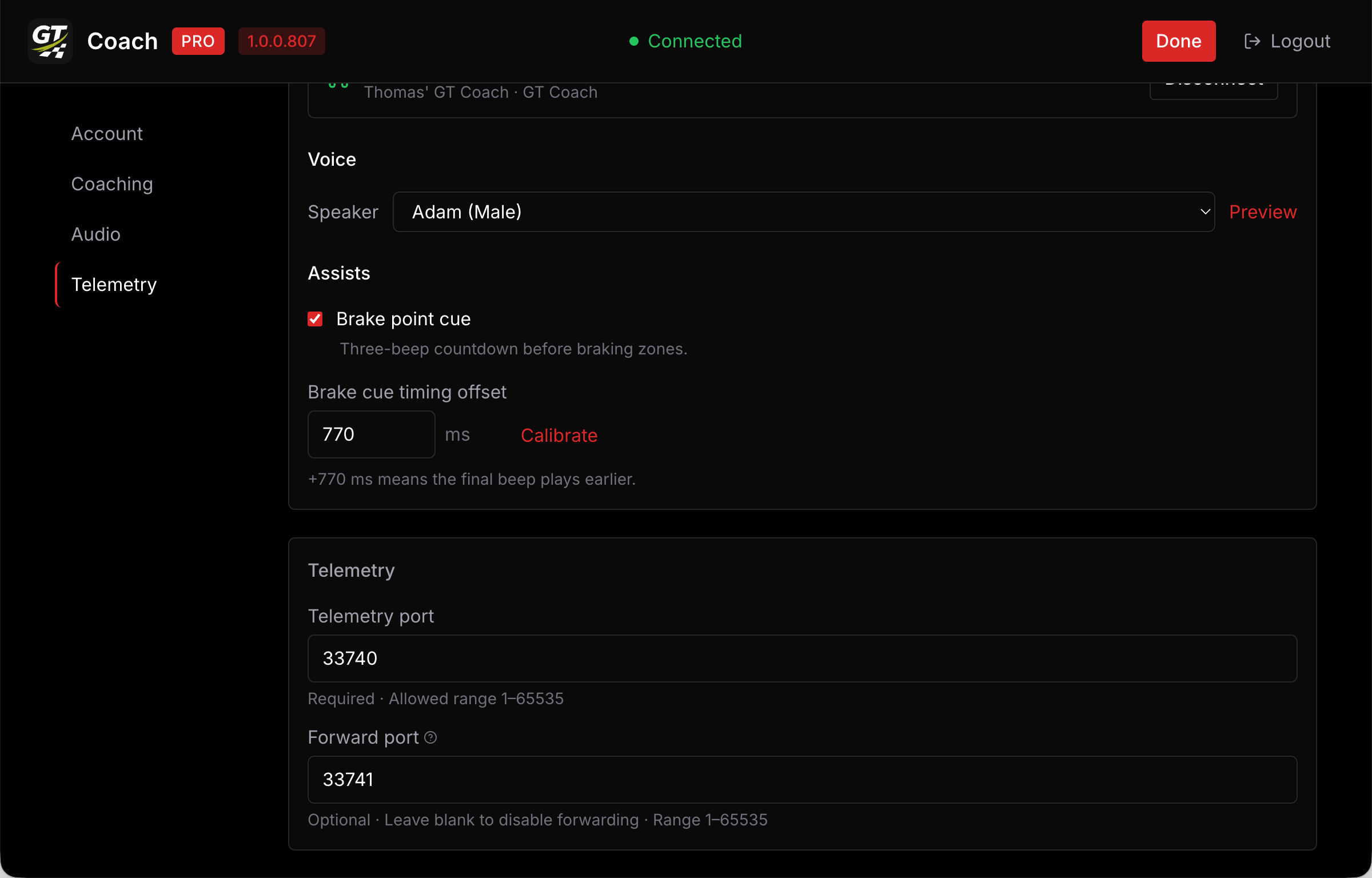
For instance, a valid setup is:
- GT Coach Telemetry Port: 33740
- GT Coach Forward Port: 33741
- SimHub Telemetry Port: 33741
Another valid setup is:
- SimHub Telemetry Port: 33740
- SimHub Forward Port: 33741
- GT Coach Telemetry Port: 33741
Finally, if you have more than two telemetry apps (e.g. Coach Dave Delta), below is another valid setup chaining all those apps together:
- SimHub Telemetry Port: 33740
- SimHub Forward Port: 33741, 33742
- GT Coach Telemetry Port: 33741
- Coach Dave Delta Port: 33742
Still not connecting?
Section titled “Still not connecting?”Join our Discord community and we’ll be more than happy to help and unblock you.
It speeds things up a lot if you bring your logs. In GT Coach, open Settings > Help and choose Export logs. If it isn’t there, choose Help > Export Logs in the app’s menu, or on Windows right-click the top of the window. Then attach the file you saved. It records which network GT Coach searched and whether your console ever answered.