
The coach is not talking
The session started, you are out on track, but you can’t hear anything.
Start with one question, because it splits the problem in half: do you see coaching text on screen with no sound? The app shows each message in the Coach panel and speaks it separately, so text with no voice is an audio problem and nothing to do with the coaching.
| The coach has spoken | The coach has nothing to say yet |
|---|---|
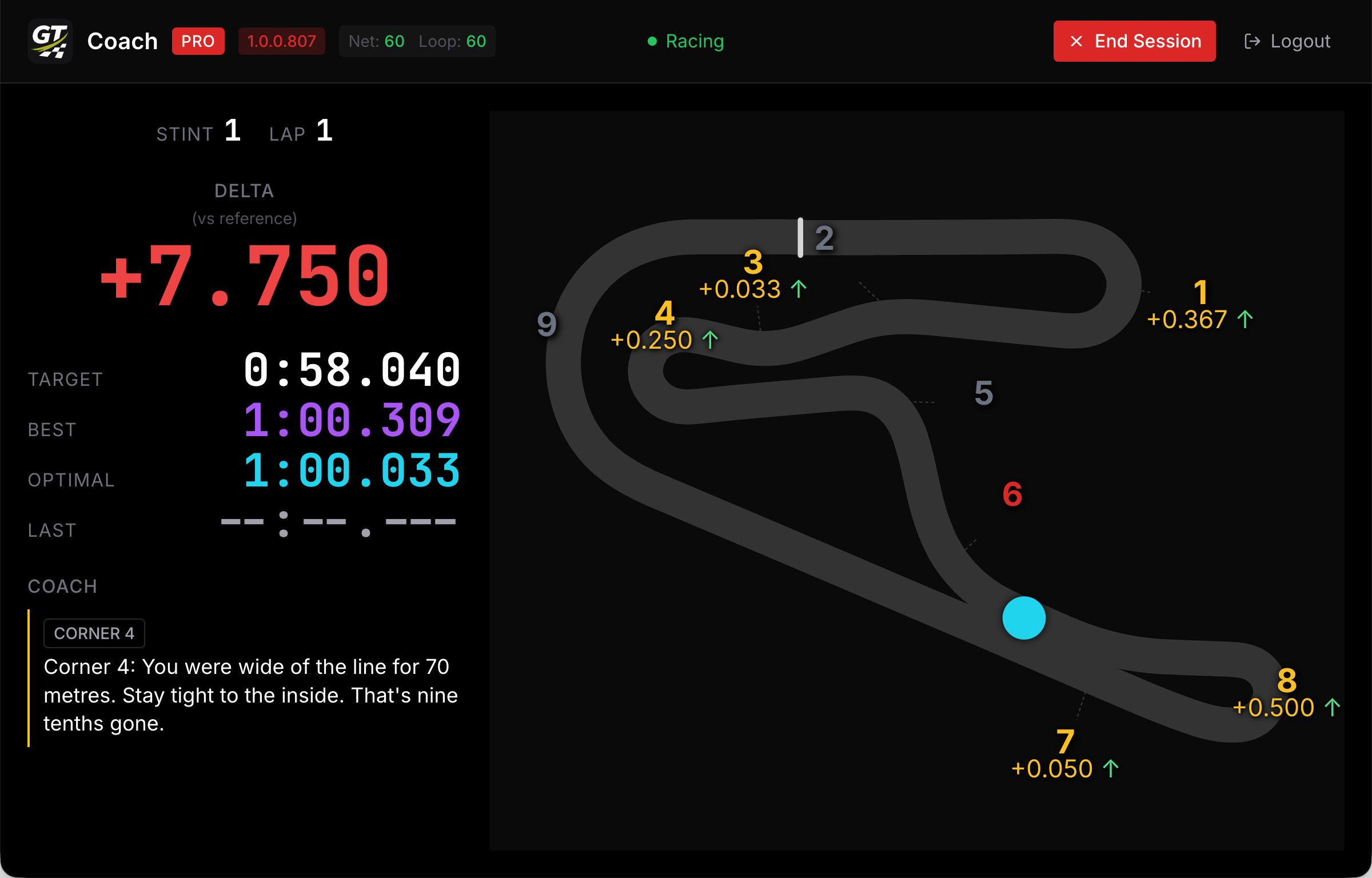 | 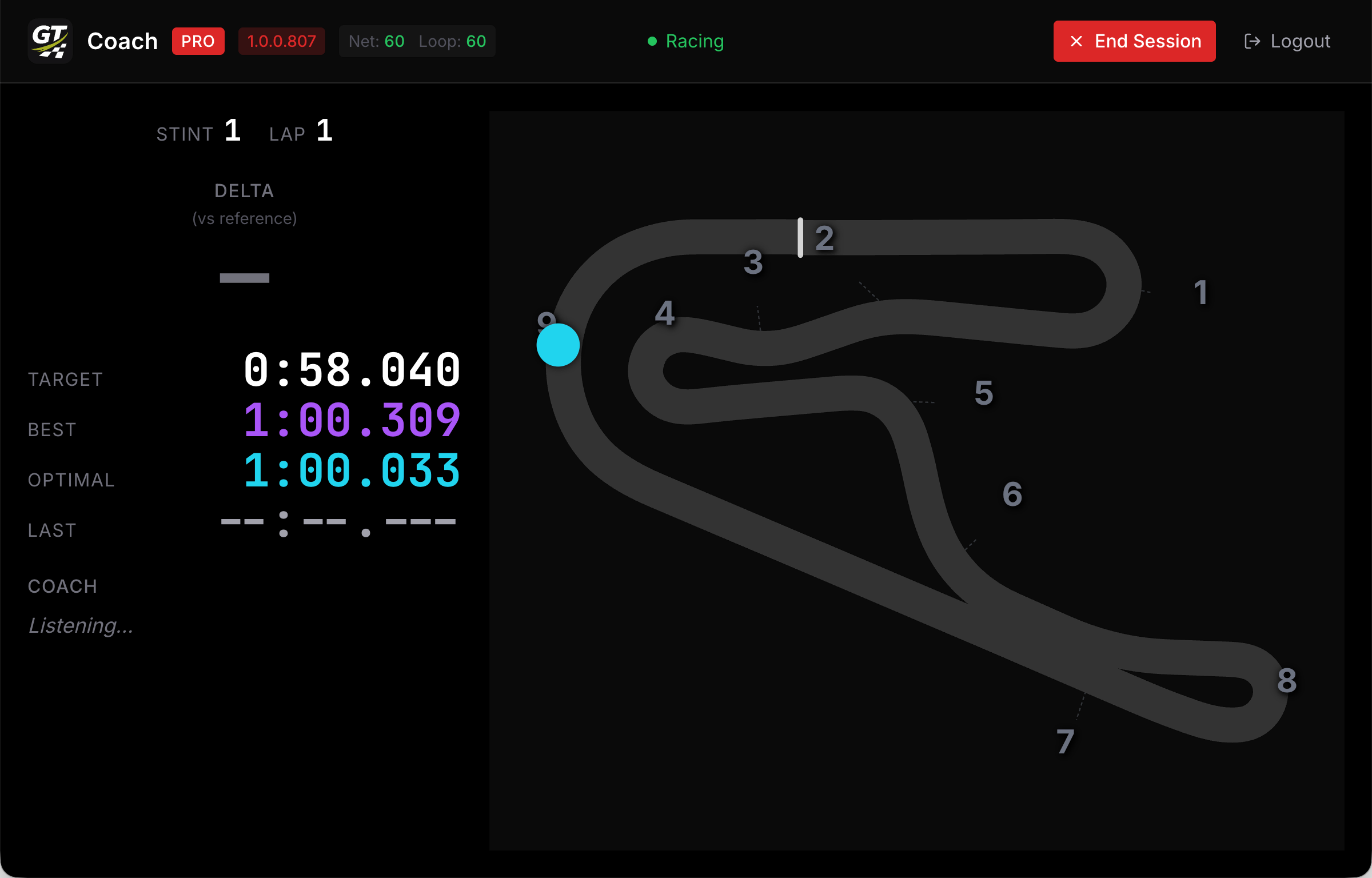 |
| Text with no sound is an audio problem: skip to It is talking and you cannot hear it. | Listening… past your first lap: work down this page in order. |
You are not on one of this week’s tracks
Section titled “You are not on one of this week’s tracks”GT Coach only coaches the sessions in the app: the Daily Races and Online Time Trials GT7 is running in Sport Mode this week. Drive anywhere else and there is no reference lap to compare you against, so nothing is said (or worse, irrelevant things could be said).
Check the track you are on is the one the session you selected names. See Choosing a session.
It is your first lap
Section titled “It is your first lap”The coach learns from your driving. On the first ever lap it has nothing to compare yet, so it holds back and mentions only the clearest mistakes. From lap two it should be talking on your worst corners; if it is not, keep working down this page.
Nothing was big enough to mention
Section titled “Nothing was big enough to mention”Your Sensitivity setting decides how much a corner has to cost you before it is worth interrupting you. If you pick the wrong sensitivity (e.g. Beginner while you’re clearly a top-1000 driver), it’s very likely the coach won’t have anything to say for your level. Adjust the sensitivity toward Alien to hear about smaller losses. See Coaching sensitivity.
You crashed or spun and it said nothing
Section titled “You crashed or spun and it said nothing”A corner you know you butchered can be the one corner it stays quiet about.
It skips corners where you had a crash or are in the gravel. Go off, spin, or lose an abnormal amount of time somewhere and that corner is dropped. The coach will not diagnose a crash, and it will not praise you for one either, because the numbers from a crash describe the crash and not your technique. It still learns from what led to the crash, so that on the next laps it can coach you to avoid it.
It was waiting for a gap
Section titled “It was waiting for a gap”The rest of the deliberate silence is about timing.
- It will not talk over your hands. While you are hard on the brakes, catching a slide, or busy with the wheel, it waits. It looks for a gap before your next braking zone, and if there is no gap long enough to fit the sentence, it says nothing at all rather than half of it.
- It leaves some breathing space between messages, so a corner that goes wrong right after another one can go unmentioned.
It is writing feedback (on the screen) but you cannot hear it
Section titled “It is writing feedback (on the screen) but you cannot hear it”Open Settings, go to Audio, and press Preview. It speaks a test line. If you hear that, your audio works and the silence is one of the reasons above. If you do not, the problem is output:
- Check the output device selected there is the one you are actually listening to, and that the volume is turned up.
- If you use Discord audio, you have to be in the voice channel yourself. GT Coach speaks into the channel whether or not anyone joined. During a session the app shows Audio off if the Discord link has dropped. See Discord audio.
Still nothing?
Section titled “Still nothing?”This could be a problem with the audio backend. See the troubleshooting steps in Voice unavailable, or join our Discord community and we’ll be more than happy to help and unblock you.