
Choosing an event
GT Coach’s events come from GT7’s Sport Mode: Daily Race A, B and C, the Online Time Trials and the World Series. Each names a track, a car or a class, and comes with one or more target laps for the coach to measure you against. Open an event to see them, fastest first, and pick the one you want to chase.
This week’s events
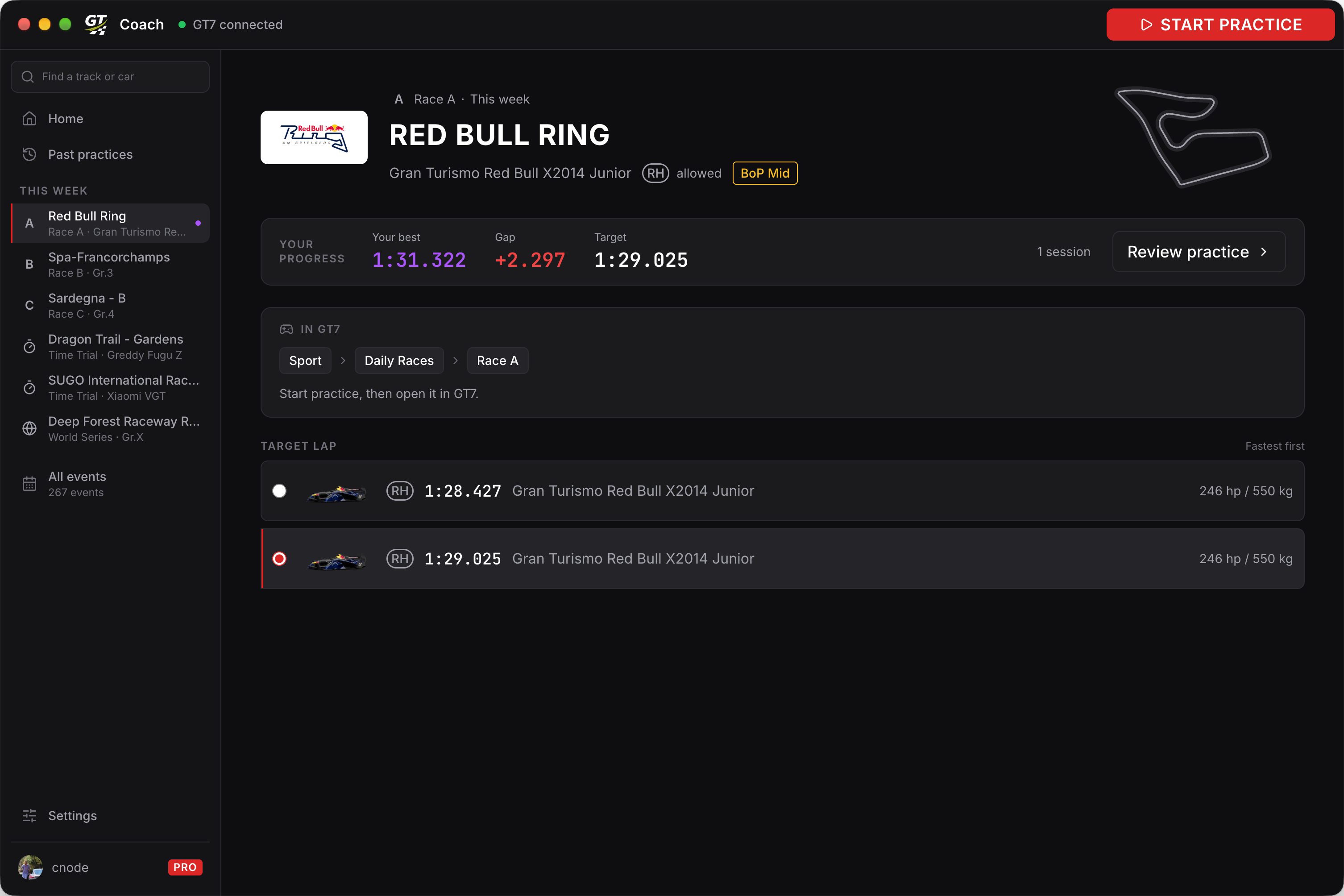
Section titled “This week’s events”This week’s events are on the home and in the sidebar, under This week. Each event’s page shows where to find it in GT7 (for example Sport, Daily Races, Race A), the car and BoP it uses, and your progress against the target lap. New events arrive in the app the same day GT7 releases them.
Past events
Section titled “Past events”All events lists this week’s events and every past one we have a target lap for, more than 250 of them. Search by track or car, or filter by class, Current physics and Current BoP.
A past event is no longer in GT7’s menus, so you drive it as a time trial or custom race, set up to match the event. See Practising a past event.
Car selection
Section titled “Car selection”The event itself sets the rules here: Daily Races and Time Trials hold you to a specific car or a group (Gr.1, Gr.2, Gr.3, Gr.4, Gr.B). Any allowed car works with the target lap, but it works best with the exact car the target lap was set in: cars in the same class still brake and turn a little differently, so the closer your car is to the target lap’s car, the more precisely the feedback you hear applies to you.