Your personal racing coach
for Gran Turismo 7
Real-time voice feedback that tells you why you're slow and what to fix. Corner by corner, lap by lap. Like having an instructor in your ear while you drive.
Works with GT7 on PS4 & PS5. Requires a PC or Mac on the same network.
On a phone? Open gtcoach.app on your PC or Mac to download.
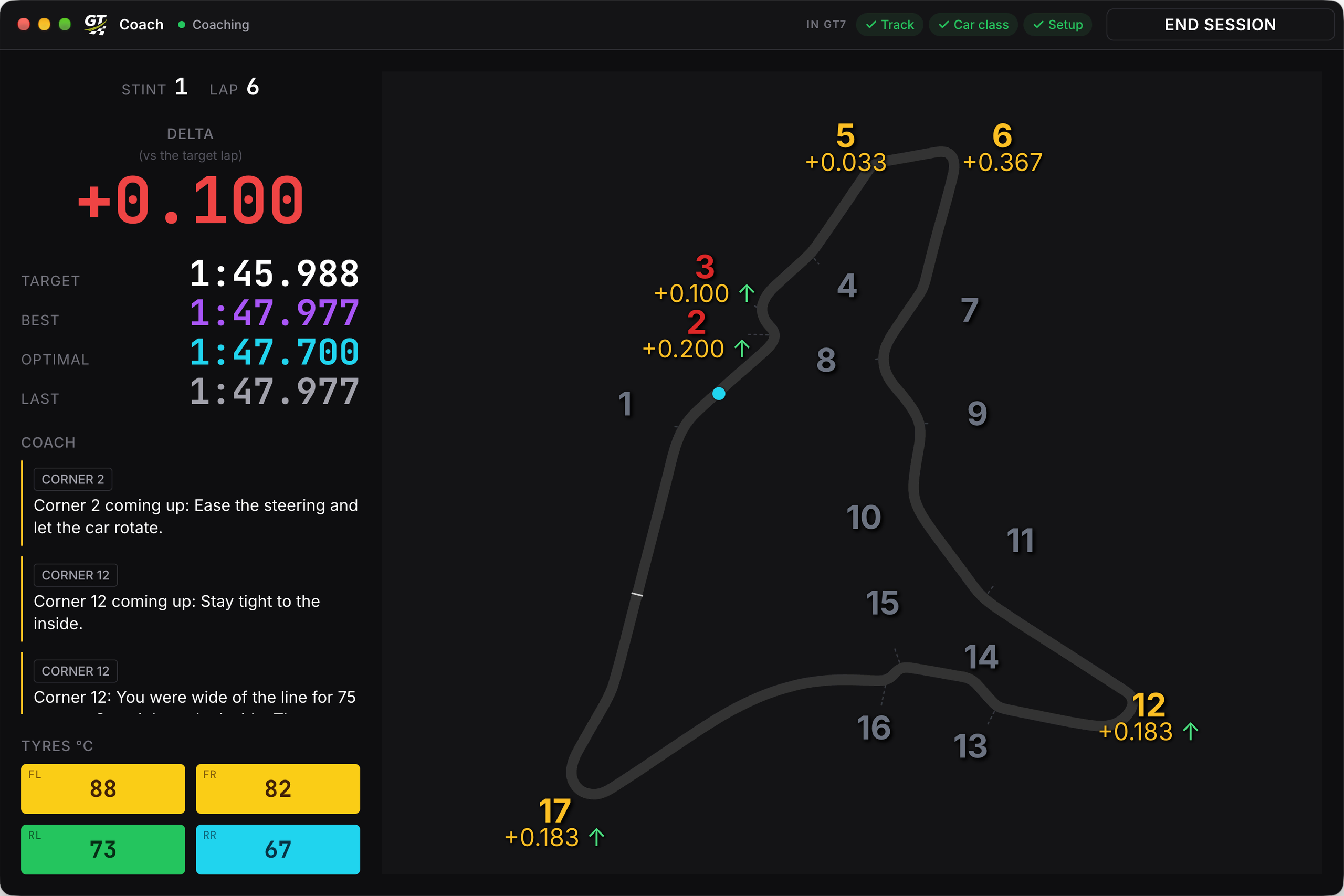
What you'll hear before corner 2: "Ease the steering and let the car rotate."
See it in action
Watch a real coaching session. Listen to how the feedback lands between corners, timed so you can process it and adjust on the next lap.
What you get
GT Coach coaches you by voice while you race, then tells you what to work on next session.
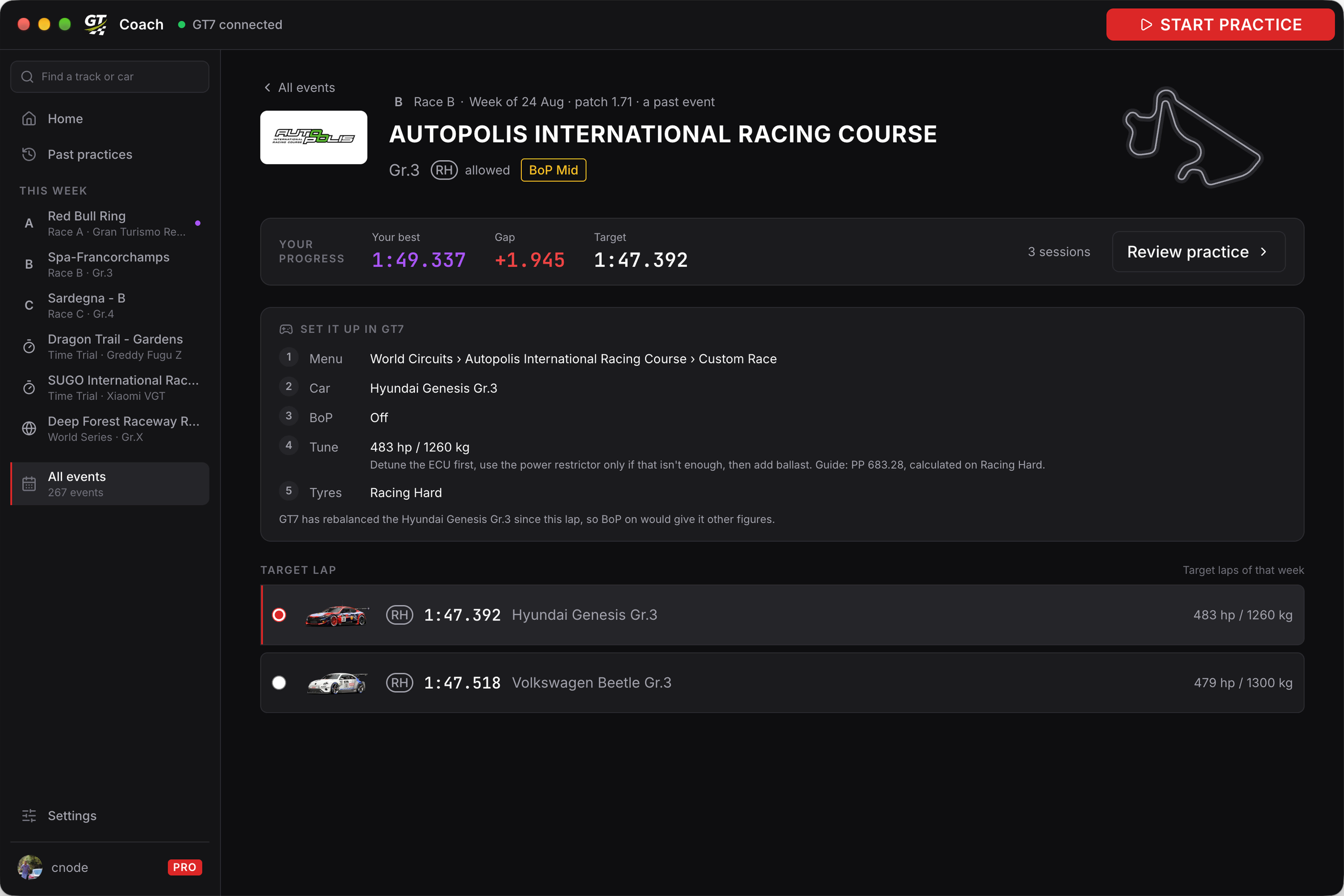
Practise any past event
ProMore than 250 Daily Races, Time Trials and World Series events. Pick one and GT Coach shows you exactly how to set it up in GT7, car, BoP and tune included.
Voice Coaching, Corner by Corner
Late braking causing understeer? Early throttle breaking traction? Between corners, the coach tells you where you lost time, why, and what to change.
Coaching Lens
Ranks the habits you keep repeating by what each costs you per lap, so you know what to work on. Come back next session to see if you improved.
Brake Point Cue
Audio cue sequence before braking zones helps you learn brake points faster. You hear the countdown, you hit the brakes.
5 Sensitivity Levels
From Beginner (10% tolerance) to Alien (1% precision). Start broad, tighten as you improve. Five levels so the coach matches where you actually are.
New Events, Same Day
Daily Races, Time Trials and World Series events, often with several target laps to chase.
Discord Audio on PS5
ProHear the coach in your PS5 headset, mixed in with the game instead of out of your computer speakers. Works especially well in VR.
Up and running in 2 minutes
Three steps, about two minutes. Most of it is downloading the app.
Download & Install
Install GT Coach on your PC or Mac. Sign in with Discord to get started.
Launch Gran Turismo on Your PlayStation
GT Coach finds your PlayStation automatically on the same network. No setup needed.
Drive With Your Coach
Pick an event, this week's or a past one (Pro), and start driving. The coaching starts automatically and you hear feedback as you race.
See where you lost it, and what to do about it
The Coaching lens groups the mistakes you keep repeating, tells you what each one costs you, and what to try next. The Time loss lens shows where the lap went.
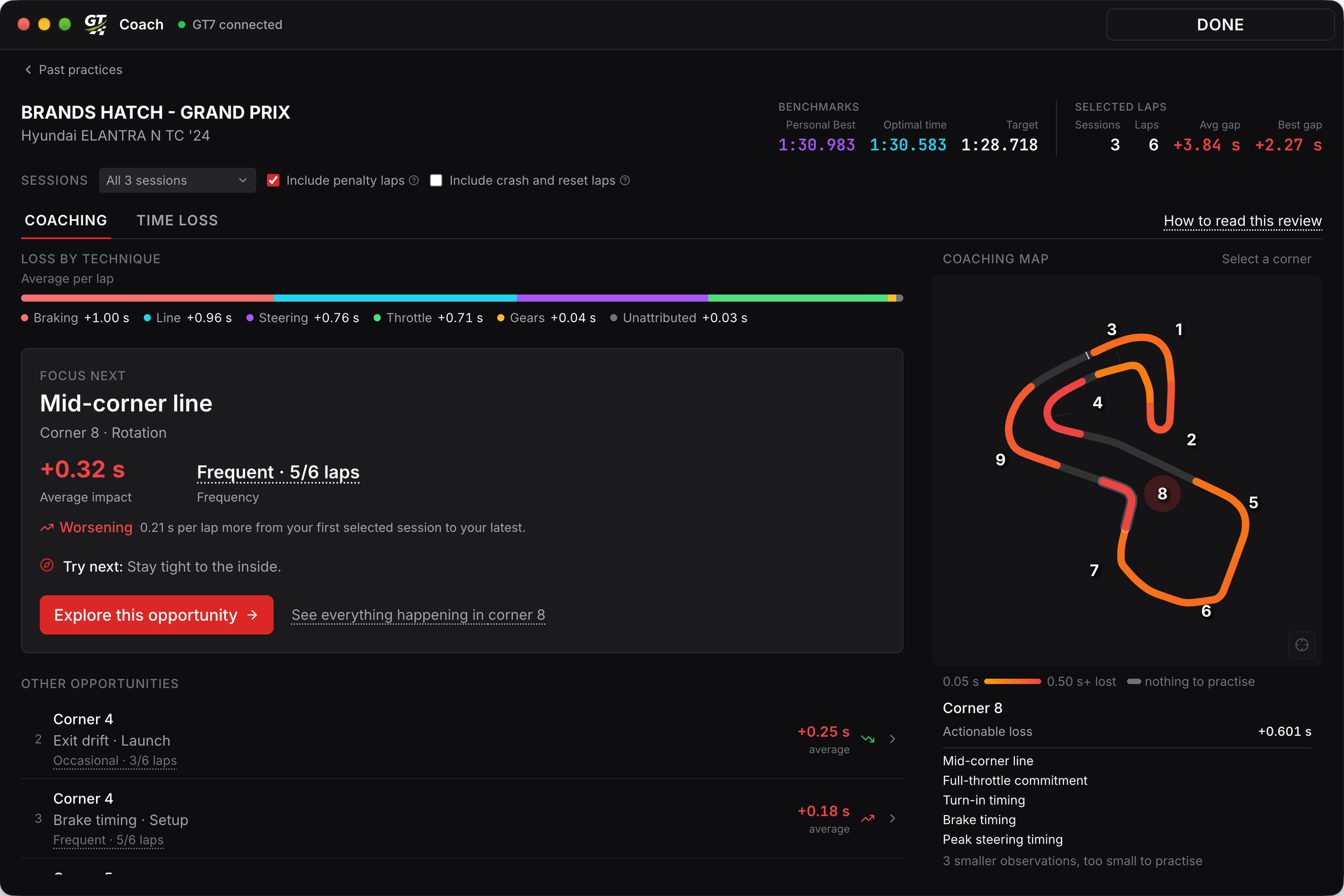
The opportunities worth your time
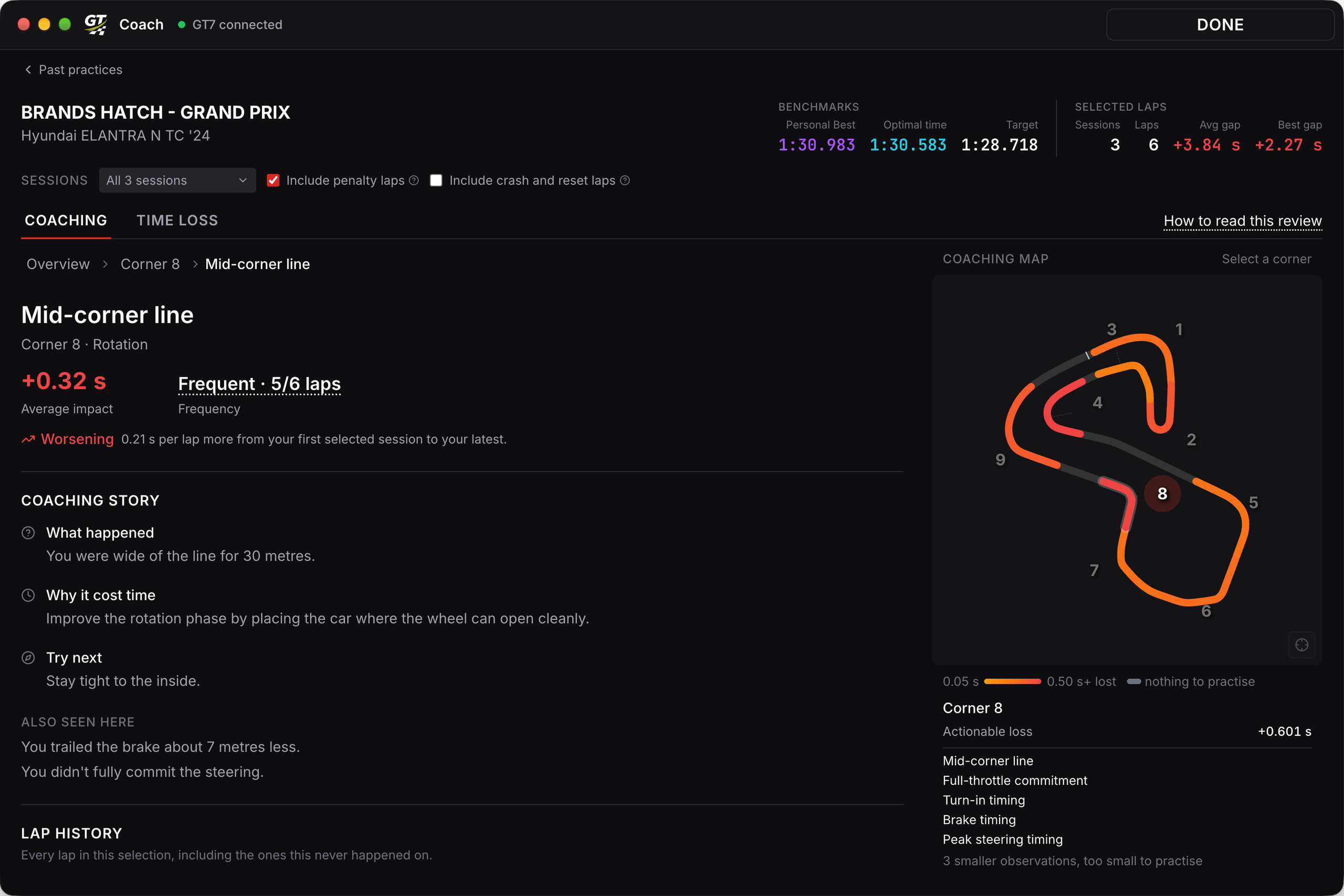
Why it happened, and how to fix it
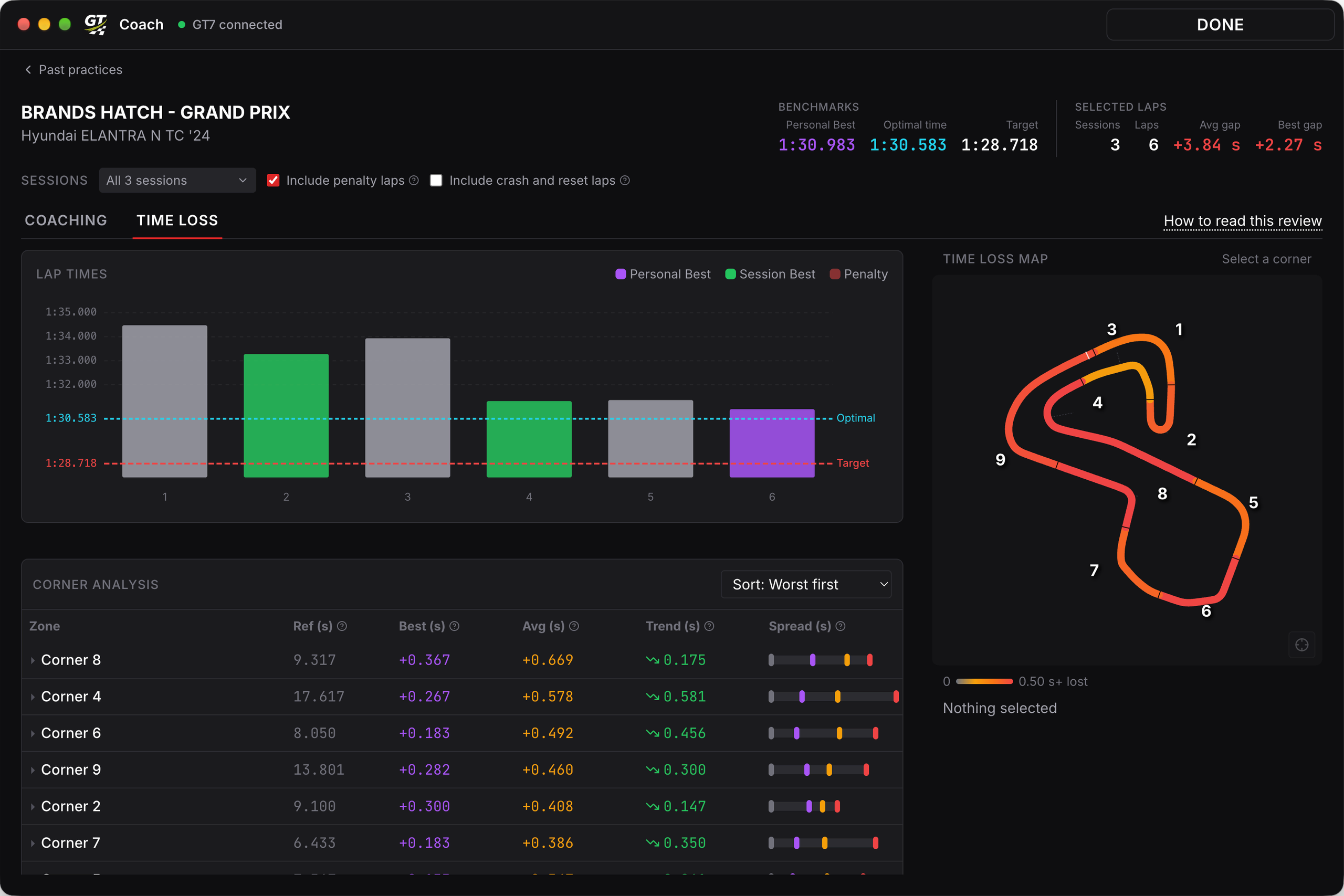
Every corner, and what it cost you
Pricing
Free to use. Pro if you want more.
Free and Pro use the same coach. Pro removes the weekly limit, opens every past event, and puts the coach in your PS5 headset with Discord Audio.
Free
A four-hour coaching window each week.
Free
- The same coach as Pro
- A 2-week Pro trial to start
- A four-hour coaching window each week after your trial
- No credit card required
Pro Annual
Unlimited coaching, and every past event.
- Practise as often as you want
- Practise any past event
- Hear GT Coach through your PS5 with Discord Audio
- Access every Pro feature we add next
Pro Monthly
Unlimited coaching, and every past event.
- Practise as often as you want
- Practise any past event
- Hear GT Coach through your PS5 with Discord Audio
- Access every Pro feature we add next
- No yearly commitment
Cancel anytime from your account page. 14-day refund on your first payment. Payments handled by Stripe.
You pay in the currency shown. If yours is not listed, the final amount is confirmed at checkout.
Frequently asked questions
What do I need to use GT Coach?
How much does it cost?
Can I cancel or get a refund?
Which tracks and races are supported?
Can I practise a race GT7 no longer runs?
Do I need to use a specific car?
Won't the voice be distracting while racing?
How do I hear the coach?
Does it use AI?
How is this different from telemetry tools?
Where do I find setup help and troubleshooting?
About the founder

Thomas
GT Coach Founder
I built GT Coach because I wanted to get faster in GT7 but didn't know why I was slow. I could see the lap times, but the gap between knowing I was off pace and knowing what to fix was massive.
Traditional telemetry tools exist on PC, but nothing like this exists for console players. GT Coach is the tool I wished existed. Something that watches you drive, figures out why you're losing time, and tells you what to change while you're still on track.
It's still early days, and I'm actively building GT Coach based on feedback from the community. If you have ideas, find bugs, or just want to chat about racing, join us on Discord.
Ready to find your lost time?
Download GT Coach, sign in with Discord, and start your first coached session. Free to start.